info@1clickprint.com
01909 561888
Setting up a professional DTF printer first thing in the morning is far easier than it looks. While there are a few technical steps to learn, the entire process is straightforward and ensures your machine is primed for high-quality printing throughout the day.
This guide walks you through the essential morning routine, from initial power-up to feeding the film through the oven and shaker.
Before you start, make sure you have high-quality supplies on hand. Using “cheap” alternatives can often do more harm than good to sensitive components.
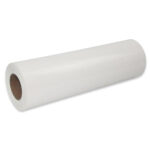
Roll of DTF Film: High-quality transfer media.
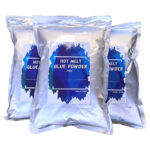
DTF Powder: Ensure your sprinkler unit is topped up.
1.Power Up and Initialise
Switch the machine on and allow it a few moments to whir through its automatic initialisation process.
2. Circulate the White Ink
Turn on the circulation pump. This circulates the white ink to prevent it from separating or settling, which is a vital step for maintaining print quality.
3. Prepare the Media Path
Move the media guides out of the way slightly. This creates a clear path and makes it much easier to feed the film through the machine.
4. Load the Film Roll
At the back of the machine, push the film roll onto one side and slide the other holder into place, giving it a firm squeeze to secure it.
5. Feed the Media
Lift the pinch rollers and feed the film through. At this stage, the exact position doesn’t matter; just push enough through so you can grab it from the front.
6. Centre and Align
From the front of the printer, pull the film through. Move the media slightly forward and side-to-side to find the centre point, then lower the pinch rollers to lock it in place. Once secure, pop the media guides back into position to keep the film steady.
7. Perform a Head Clean
Important: Turn off the circulation pump before you begin any cleaning or printing. This allows the ink to flow correctly through to the print head.
Run a head clean either by pressing the physical button on the machine or via your control software. The process takes about a minute as the machine prepares the nozzles.
8. Check the Nozzles
Perform a quick nozzle check to verify the print quality. You are looking for a sharp print with few to no gaps in the nozzle lines. A few tiny gaps are generally fine, but the overall check should be crisp.
9. Feed the Film
Feed a generous length of film through the printer and into the shaker unit. Continue feeding it through until it reaches the oven section. Ensure enough film is fed through so it doesn’t slip back when you let go.
Open the front of the machine. Feed the media behind the guide roller and tape it securely onto the take-up spool.
Warning: Ensure the machine is not actively heating at this point to avoid the risk of burns while handling the media near the oven.
10. Apply Tension
Place the “marzle vane” onto the media in the sprinkler section. This rests on the film to add necessary tension and helps keep the powder contained on the media rather than being recycled constantly.
11. Final Warm-up
Switch on the oven, the shaker, and the sprinkler. Give the system a few minutes to reach the correct operating temperature.
12. Manage Ink Flow
Important: Turn off the circulation pump before you begin any cleaning or printing. This allows the ink to flow correctly through to the print head.
7. Manage Ink Flow
Important: Turn off the circulation pump before you begin any cleaning or printing. This allows the ink to flow correctly through to the print head.
You don’t have to waste long lengths of film every time you load the machine. Many operators leave a “leader” of media on the spool and use heat-proof tape to join it to the new roll, pulling it through the machine to save on consumables.
Pro Tip: Loading a professional printer is a doddle once you’ve done it a couple of times. Take your time with the alignment, and your production run will be seamless.
Want to see Jo perform this routine for the first time? Watch our full demonstration above to see exactly how easy it is. If you found this helpful, please subscribe to our YouTube channel for more DTF maintenance tips and tricks!
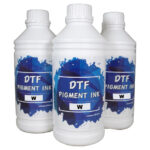
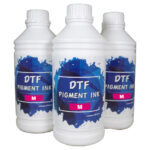
Don’t risk your printheads with sub-par chemicals. You can find the exact professional-grade supplies used in this video at the links below: