info@1clickprint.com
01909 561888
Maintaining your DTF printer doesn’t have to be a chore. In fact, keeping your machine in top shape takes only about two minutes at the end of each day. Think of it like brushing your teeth. Do it daily, and you’ll avoid some very expensive “dental” bills for your printheads later on.
Proper maintenance ensures a long life for your equipment and consistent, high-quality prints.
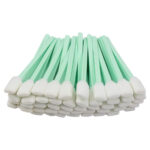
Before you start, make sure you have high-quality supplies on hand. Using “cheap” alternatives can often do more harm than good to sensitive components.
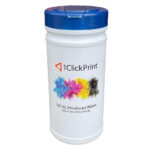
Isopropanol (IPA) Wipes: For cleaning the printheads and guides.
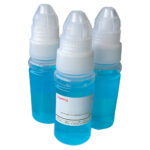
1ClickPrint Cleaning Solution: To maintain the capping station seal.
1. Move the Print Carriage
Hold down the left button on your printer for a few seconds. This will move the print carriage out of its home position so you can access the printheads and the capping station.
2. Clean the Printheads
Take an IPA wipe and fold it over to create a clean surface. Wipe the CMYK and White printheads gently from back to front.
Important: Do not touch the base plate while wiping the heads, and always use a fresh, clean section of the cloth for each head to avoid cross-contamination.
3. Wipe the Base Plate
Once the heads are clean, use a clean part of your wipe to remove any ink buildup or dirt from the base plate surrounding the heads.
4. Clean the Wiper Blade and Capping Stations
Move to the maintenance area where the carriage normally sits. Give the wiper blade a quick clean. Then, clean the capping stations. It is vital to remove any residue from the very top edge of the capping station, especially on the white ink side, to ensure it forms an airtight seal with the printhead.
5. Apply Cleaning Fluid
Carefully pour cleaning fluid into the capping station. You only need enough to cover the plastic grates.
Warning: Do not fill the station to the very top, as the fluid could be drawn back into the printhead and cause issues.
6. Secure the Carriage
Bring the carriage back to its home position. We recommend bending down to look from the side to ensure the capping stations move up and sit square and tight against the printheads. This airtight seal keeps the heads from drying out.
7. Clean the Media Guides
Finally, use an alcohol wipe to scrub the media guides. Ink can build up here quickly; keeping them clean prevents ink from being dragged onto your film and causing streaks.
Once your maintenance is complete, switch the machine off. The cleaning solution in the capping station will keep your printheads pristine while the machine is idle—even if you don’t use it for a few weeks.
Pro Tip: Look after your tools, and your tools will look after you.
Want to see Jo perform this routine for the first time? Watch our full demonstration above to see exactly how easy it is. If you found this helpful, please subscribe to our YouTube channel for more DTF maintenance tips and tricks!
Don’t risk your printheads with sub-par chemicals. You can find the exact professional-grade supplies used in this video at the links below: