info@1clickprint.com
01909 561888
| Qty | Price Each (ex VAT) |
|---|---|
| 1 | £19.99 |
| 2 - 4 | £16.66 |
| 5 + | £13.33 |

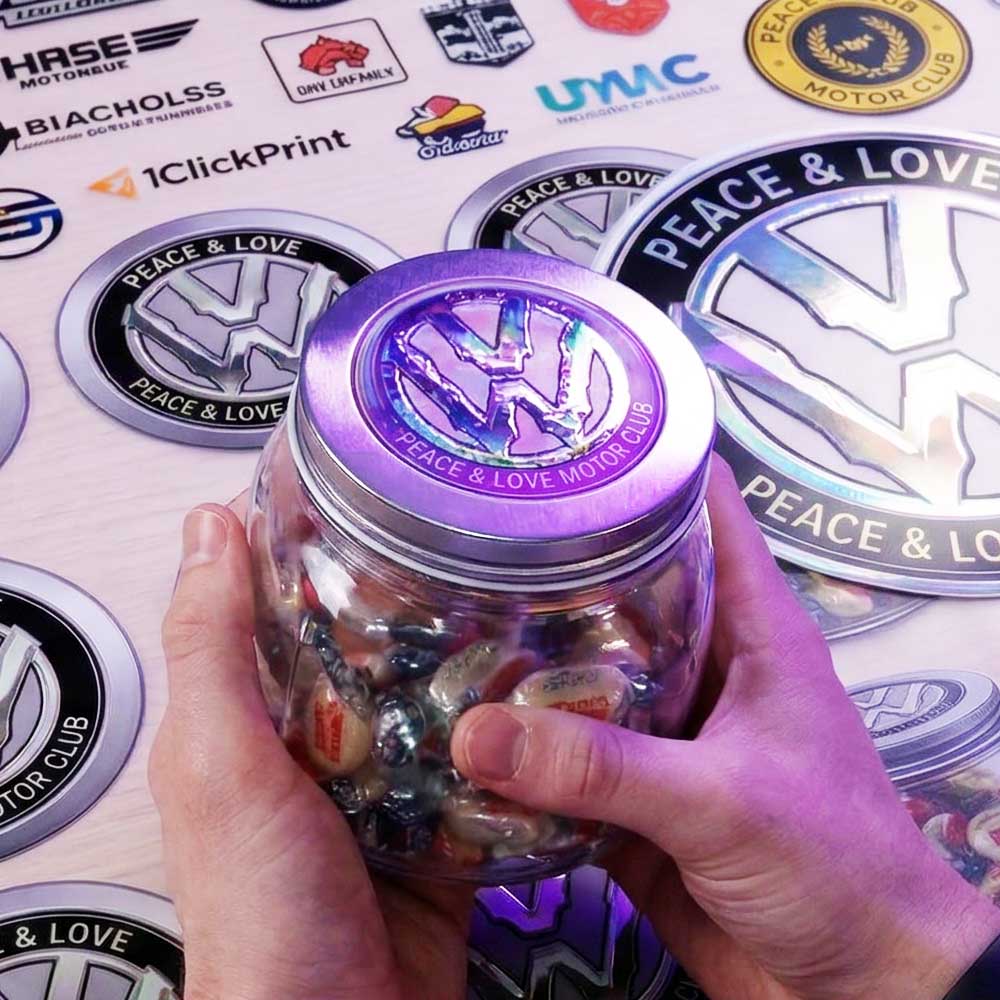
Elevate your branding and merchandise with our custom Spot UV DTF transfers! Spot UV DTF is perhaps the most premium product that you can offer with a UV DTF printer. It really is an absolutely amazing way to stand out from the crowd and to make your skills and products look that bit more special.
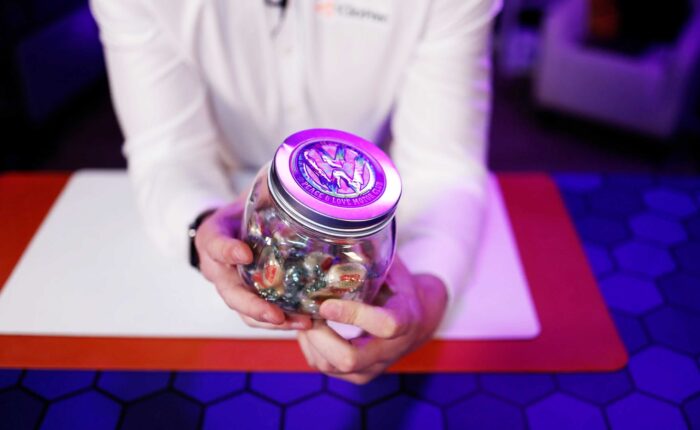
Whether you are branding sweet jars, water bottles, or electronics, these transfers deliver a high-end, tactile finish that standard prints simply can’t match.
Traditional stickers can be a little, well, short-lived. UV DTF Prints offer a long-lasting alternative way to brand items that will last for years, often longer than the item you are branding!
1ClickPrint UV DTF prints are washproof, scrub proof, impact-resistant and are fade resistant, even in the brightest of sunlight.
UV DTF offers an amazing way to brand almost any item to the highest professional standard.
UV Direct to film transfer prints (DTF transfer prints) are the latest in decal printing technology. Although to say decal printing, or even sticker printing, seriously under states the number of uses for UV DTF transfers.
Similar to high end direct to film garment printing an industrial inkjet printer is used to print the design. UV DTF printers first print the white layer on to an adhesive film, then print the colour layer, and finally a clear varnish where on top of that. The machine uses integral ultra bright UV lamps to cure the prints into a super tough yet flexible finished print.
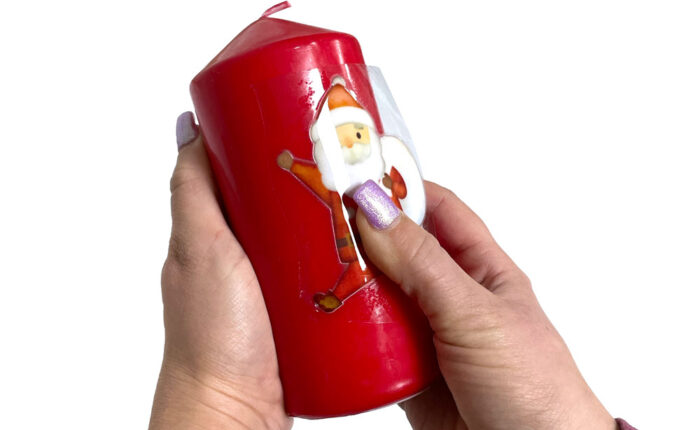
The end result is a transfer ready to apply that needs zero weeding, zero pre-treatment, no heat, only finger pressure and leaves zero residue.
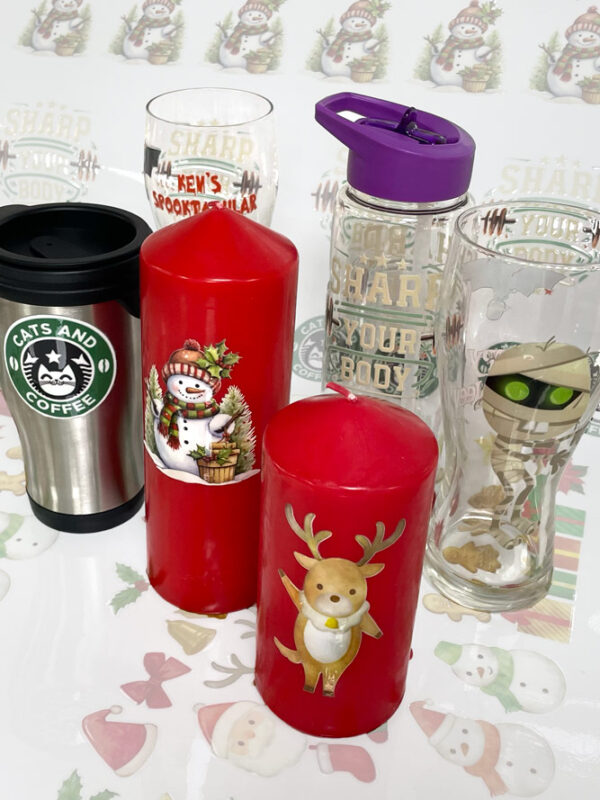
The transfer can be applied to almost any rigid or semi-rigid surface from candles, to classes, to notebooks. The list really is near limitless.
The comparison between UV DTF prints and traditional stickers or vinyl is night and day. Gone are the limits on shape, size and colours. Welcome to full colour prints in any shape you want.
Our UV DTF Transfer sheets are supplied in 56cm wide x 100 cm lengths. We offer significant discounts for larger orders and regular customers.
Our trained UV DTF print experts will be more than happy to answer any questions you have.
To ensure your gangsheet prints perfectly, please follow these simple setup steps in Photoshop before uploading your file:
Color Space & Background: Make sure your artwork is CMYK, and that you also have a transparent background layer.
Select Your Gloss Areas: Select the areas that you would like to have the gloss finish. Anything that isn’t selected will be matte.
Create the Spot Channel: In the channels window, create a new spot channel. The name is really important and has to be exactly correct: SpotClear (with no spaces, a capital S, and a capital C).
Create Your Paths: Open the paths window then:
Go to the 3-line menu in the top right corner of the paths window
Select ‘Make work path…’ (a tolerance of 1 is fine).
Back to the 3-line menu, Save the path, the default name is fine
Back to the 3-line menu, select ‘Clipping Path’ where you must leave the flatness blank.
Save & Upload: Save your file as a Photoshop PDF making sure the standard is set to X-4 2010.
Pro Tip – Fill your Gangsheet! Our Spot UV DTF gangsheets are 100cm x 56cm. To ensure correct results, please create your document at that size and fill it with your prints.
Our UV DTF transfer prints are supplied ready to apply. There’s no need to apply any further adhesive or use any sort of press.
Simply trim the UV DTF sheet with scissors, peel of the white backing and apply the decal to your item. Press firmly with your thumb and peel off the clear from film.
The decal is pretty firmly attached immediately but will form a rock solid bond over the next couple of hours.
Excess film won’t leave residue so trimming the UV DTF transfer print is purely for convenience.
Simply get in touch and our print experts will answer any questions you may have over the phone or via email.
Our staff are fully trained on UV DTF transfer printing and also more than happy to demo our DTF prints to visitors.
A sample pack is also available so that you can test our UV DTF transfer prints.