FREE Shipping on orders over £50

info@1clickprint.com
01909 561888
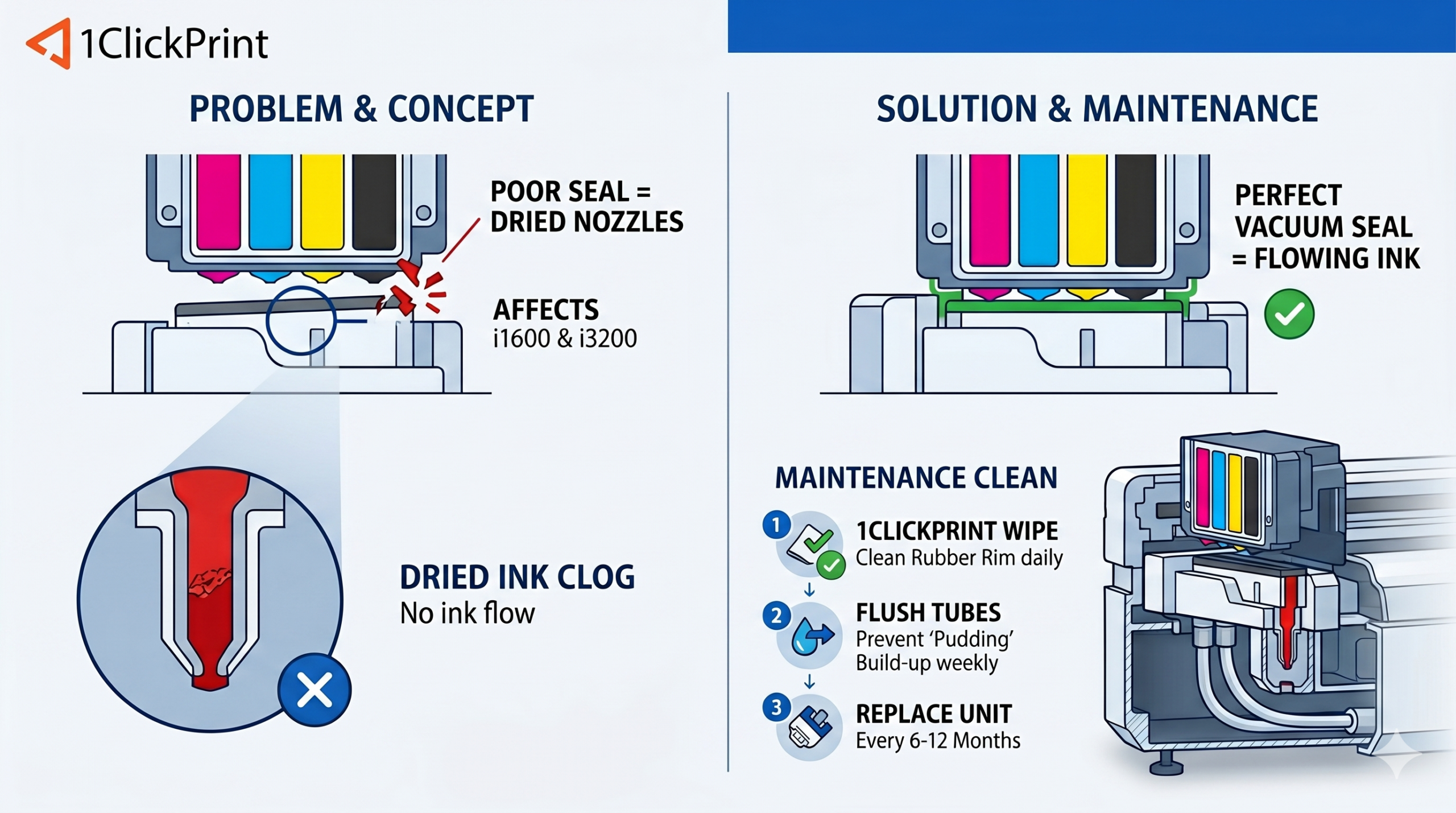
If you’ve noticed your printhead isn’t sealing properly, or if you are battling constant nozzle drop-outs despite a clean wiper, it is likely time to replace your capping station. On 1ClickPrint machines, the capping station is the only thing standing between your expensive printhead and the drying effects of the British air.
A key advantage of our hardware is that the same capping station unit is used for both i1600 and i3200 printheads, so whether you are running a standard or high-speed setup, the part and the process remain identical. On 1ClickPrint printers, the capping station is a single, complete unit—while you cannot swap out individual bits like sponges or seals, replacing the entire assembly is a straightforward job that ensures your head stays in top nick.
Before you start, you need to ensure the machine is completely “cold” to avoid any electrical mishaps while working near the ink lines.
Power Down: Turn the printer off at the front and flip the rocker switch at the back.
Unplug: Physically pull the plug from the mains.
Clean Up: Use your 1ClickPrint Isopropanol wipes to clean the surrounding frame. Removing old ink “crust” now prevents debris from falling into your new capping station during the installation.
The capping station is held in place by several silver screws and is connected to the waste system by two flexible tubes.
Move the Carriage: You must move the printhead carriage out of the way to access the station. Use the BYHX software or the printer’s physical control panel to move the carriage to the maintenance or “clean” position. Do not move the carriage by hand, as this can cause timing errors or put unnecessary strain on the motor and belt.
Disconnect the Waste Lines: Locate the two tubes running from the bottom of the cap. Carefully pull them off the plastic barbs. Have some blue roll or a 1ClickPrint wipe ready to catch any waste ink that might leak from the tubes.
Unscrew the Assembly: Remove the silver screws holding the station to the frame.
Lift Out: Pull the old unit out vertically and set it aside.
Seat the Station: Place the new capping station into the bracket and line up the holes with the mounting points.
Secure the Plumbing: Push your waste lines firmly back onto the barbs at the bottom of the new cap. If the tubes feel a bit loose, you can use a small cable tie to ensure an airtight vacuum.
Screw it Down: Re-install the silver screws. Tighten them until they are secure, but avoid over-tightening as the housing is made of plastic.
Once the new station is screwed in, you need to ensure the printhead is landing where it should.
Because of the design of the 1ClickPrint station, there is plenty of margin for error here. As long as the unit is screwed into its designated mounting points, the head should naturally find its home. Use the control panel to bring the carriage back to the “Home” or “Lock” position and visually check that the head is sitting squarely over the rubber seal.
A new capping station is full of air, so you need to pull ink through it to create a proper “wet” seal.
Add Cleaning Solution: Tip a bit of DTF cleaning solution into the new cap. You don’t need a syringe for this; you can pour it in however feels most comfortable, just ensure the internal sponge is saturated.
Power Up: Plug the machine back in and turn it on.
Run a Clean: Using your BYHX software, perform a clean. This will trigger the waste pump to pull ink through the new cap and into the waste lines, clearing out any air pockets.
Check for Leaks: Ensure the waste ink is flowing properly through the tubes and into your waste bottle.
The easiest way to make your new capping station last is to prevent ink from hardening on the rim. At the end of every shift, take a 1ClickPrint Isopropanol wipe and gently wipe the rubber gasket. This keeps the seal supple and ensures a perfect vacuum every time the machine parks.
