FREE Shipping on orders over £50

info@1clickprint.com
01909 561888
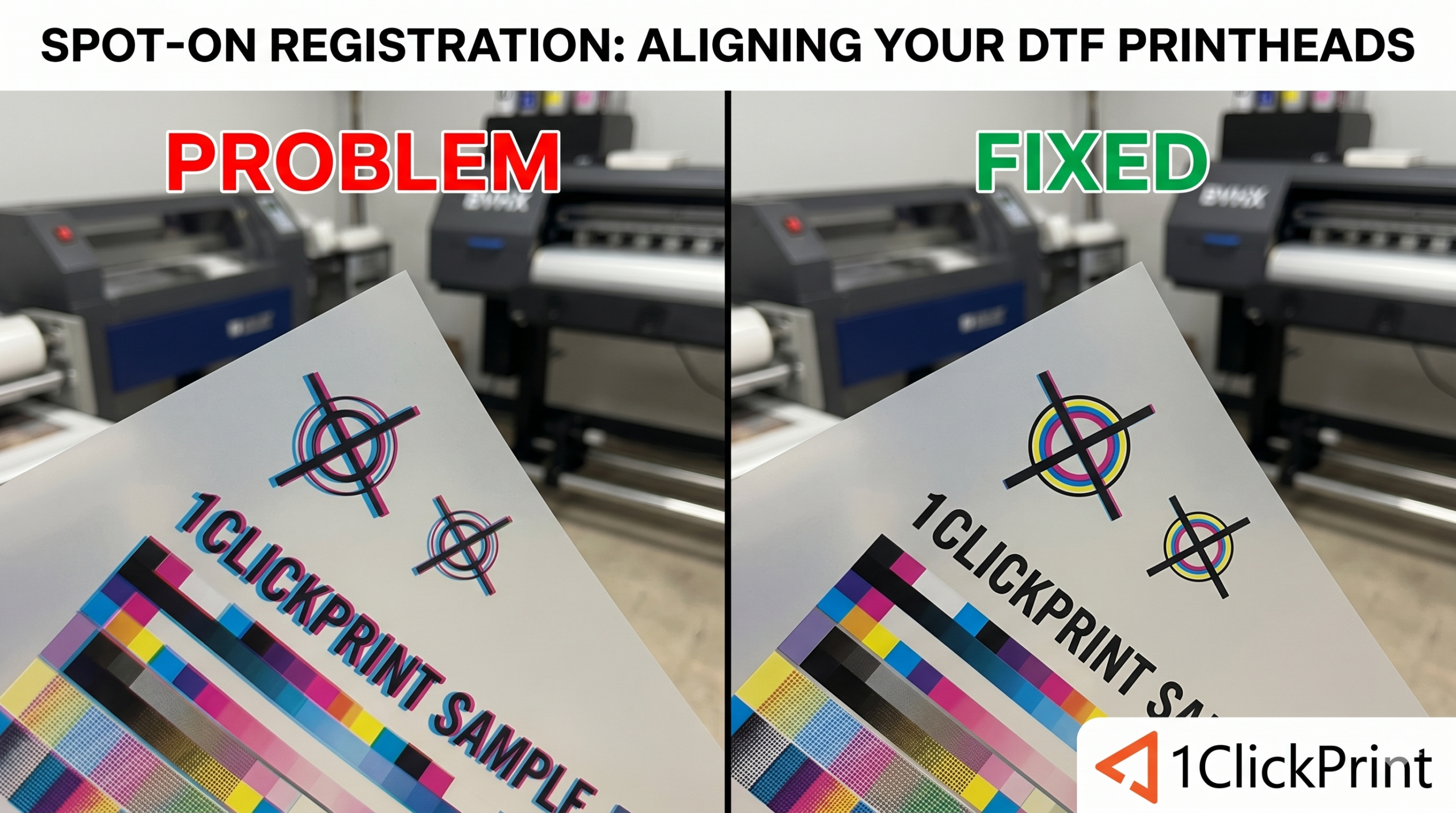
If you’ve ever pressed a shirt only to find a cheeky white border peeking out from one side of your graphic, you’ve experienced a registration “miss.” In the UK, where we pride ourselves on a bit of craftsmanship, having your CMYK and White heads out of sync is the quickest way to make a pro-level design look like a DIY disaster.
Our DTF machines run on BYHX software. While the interface can look a bit industrial at first glance, the “Head-to-Head” alignment tools are actually very logical once you know what you’re looking at.
Even if your printer was perfect yesterday, things move. Temperature shifts in the workshop, a slight bump to the carriage during a manual clean, or even just the natural vibration of a long production run can cause the heads to drift by a fraction of a millimetre.
We aren’t physically moving the heads with a screwdriver; we are telling the software to offset the timing of when each head fires.
Before you start, ensure your bed is clean, and your film is loaded straight. Open your BYHX Printer Manager and head to the “Calibration” tab.
This tells the White head exactly where the CMYK head is on the horizontal plane.
The Test: On the “Horiztonal” tab, run the “Head Calibration” X-alignment test.
Reading the Pattern: You’ll see a series of vertical lines. The goal is to find the one where the white line is perfectly hidden behind (or perfectly aligned with) the colour line.
The Adjustment: Each line is numbered (e.g., -3, -2, -1, 0, +1, +2). If “+2” looks the straightest, you adjust the value into the corresponding box by +2 then click “Save”.
This ensures the heads aren’t “stepping” differently as the film moves forward.
The Test: On the “Vertical/OverLap” tab, run the Y-alignment.
Reading the Pattern: Look for horizontal lines. If the white line is sitting slightly higher or lower than the colour, your “Step” is off.
The Adjustment: Again, find the number where the lines converge perfectly into one. Adjust the existing value by it, save it, and move on.
Once your heads are aligned to each other, you need to make sure they fire correctly while moving in both directions.
If your vertical edges look “serrated” like a bread knife, blurred, or have a double print, your Bi-Directional alignment is out.
Run the Bi-Di test and adjust the existing value by the number where the “left” pass and “right” pass lines meet to form a single, sharp vertical line.
The “Magnifier” Trick: Unless you have the eyes of a hawk, use a jeweller’s loupe or the zoom on your phone camera to look at the test prints. What looks “fine” to the naked eye can still show a white bleed on a black garment.
One Change at a Time: Don’t try to fix X, Y, and Bi-Di all at once. Adjust the X, save it, and re-print the test. This avoids the “chasing your tail” scenario where one adjustment throws off your perception of the other.
Nozzle Check First: Never attempt an alignment if you have more than just the odd missing nozzle. If the “calibration line” is missing half its dots, you’ll never get it accurate.
| Tool | Fixes What? | Software Tab |
| H-to-H X | Left/Right White overlap | Calibration / Head Offset |
| H-to-H Y | Up/Down White overlap | Calibration / Step |
| Bi-Directional | Blurry/Serrated edges | Calibration / Bi-Di |
Keeping your alignment settings dialled in ensures that every print that leaves your shop is top-tier. It takes five minutes at the start of the week but saves hours of “faffing” with ruined shirts later.
