FREE Shipping on orders over £50

info@1clickprint.com
01909 561888
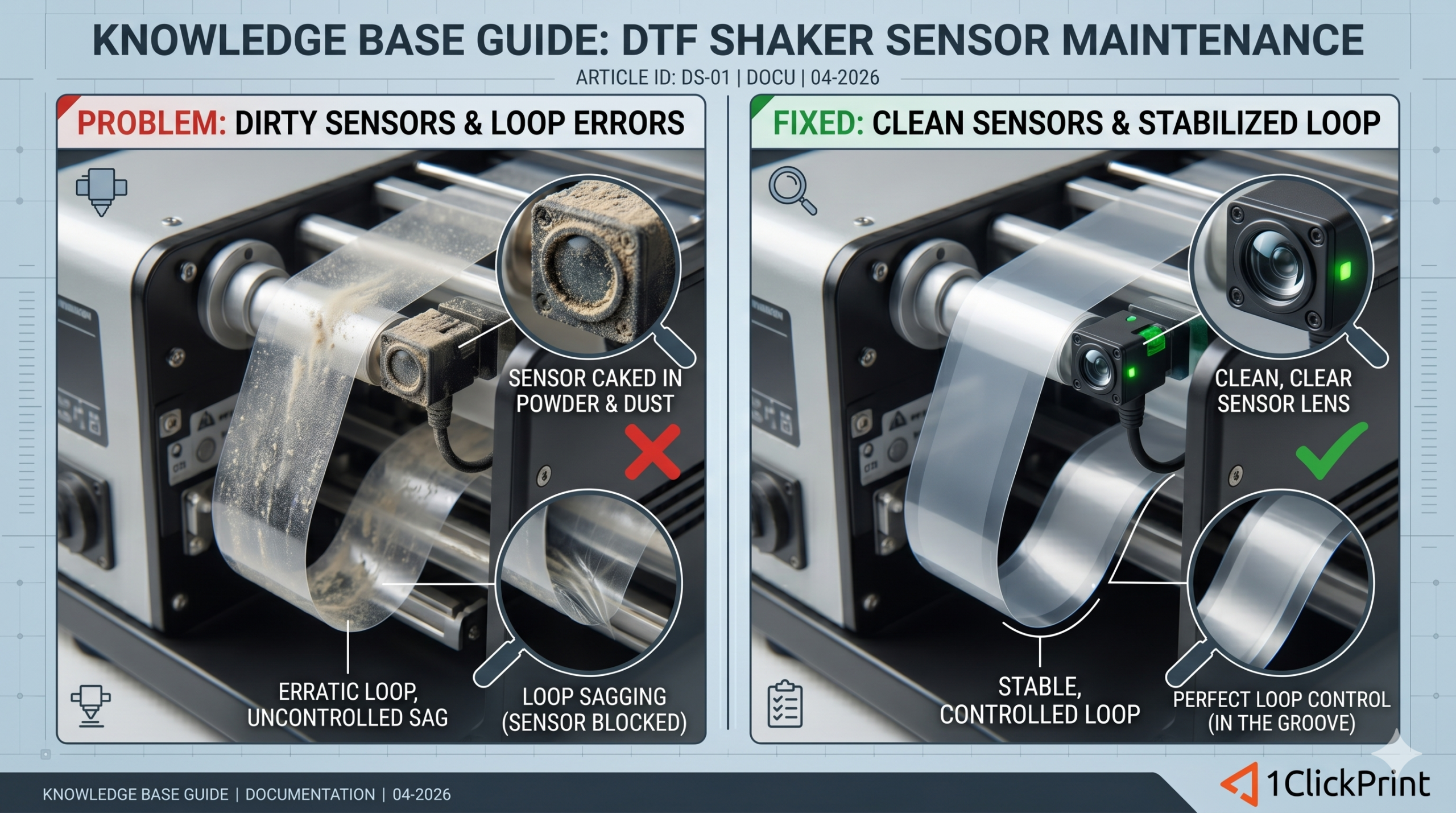
In the world of DTF printing, the “dance” between the printer and the powder shaker is choreographed by a tiny, often overlooked component: the optical sensor.
These sensors act as the eyes of your finishing unit. They monitor the “U-loop”—the slack of film hanging between the printer and the shaker—to ensure the film moves at the perfect pace. If these eyes get “cloudy,” the choreography falls apart, leading to film dragging on the dirty floor or, worse, snapping under high tension.
Most automated shakers use infrared (IR) optical sensors. They send out a beam of light; when the film loop drops low enough to block that beam, the shaker’s motor triggers to pull the film forward.
Because DTF environments are filled with fine TPU powder and ink mist, these sensors are constantly under attack.
If you notice any of the following, your sensors are likely crying for help:
The Under Pull: The oven doesn’t pull the film through, as the sensor doesn’t detect the film. The film coils up in the shaker area.
The Over Pull: The oven keeps pulling on the film until it is completely taut, tugging on the printer.
Erratic Shaking: The motor stutters or turns on and off rapidly without a smooth flow.
You should perform this quick cleaning at the start of every shift to avoid mid-run disasters.
Look for the sensor, it’s towards the bottom of the shaker area where the ‘U’ of the film sits, on the side closest to the printer.
Before using liquids use soft-bristled brush to blow away the loose TPU powder.
Dampen a lint-free microfiber swab or cloth with 70% Isopropyl Alcohol (IPA).
Gently wipe the lens of both the sender and the receiver.
Pro Tip: Avoid using paper towels, as they can leave microscopic scratches on plastic lenses over time.
Wipe the sensor dry with a clean part of the cloth. Power on the shaker and pass your hand through the sensor path. The motor should trigger instantly.
DTF powder is highly static. UK machines are always grounded, but non-conductive components may still attract dust.
Humidity is also a factor, with relative humidity of less than 40% significantly increasing the static effect.
Here in the UK, low humidity is usually limited to office-style environments with poor ventilation and a dehumidifier running. Opening a window or door will measurably and rapidly increase humidity in these situations.
| Component | Cleaning Frequency | Cleaning Agent |
| Optical Lens | Daily (Every shift) | 70% IPA Wipes |
| Sensor Housing | Weekly | 70% IPA Wipes |
| Reflector Plates (if fitted) | Weekly | 70% IPA Wipes |
Keeping these sensors clear is the easiest way to ensure your long print runs stay unattended and stress-free.
