FREE Shipping on orders over £50

info@1clickprint.com
01909 561888
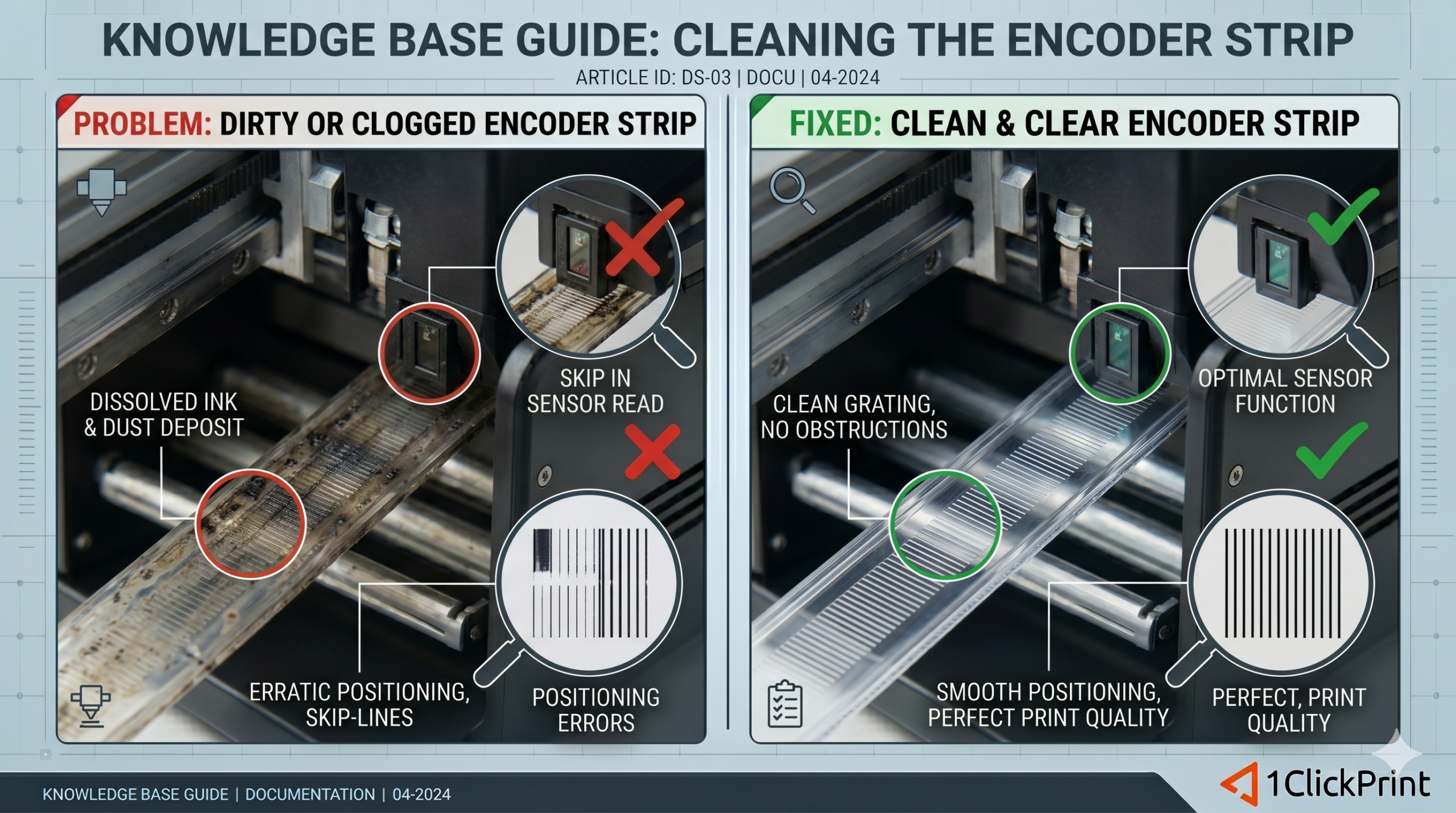
The encoder strip is the “GPS” of your DTF printer. It is the thin, semi-transparent plastic ribbon that runs the full length of the carriage rail. It is covered in thousands of microscopic vertical lines that an optical sensor on the back of the printhead carriage reads to determine its exact position.
In a production environment, ink mist and PET film dust are constant. If even a small section of this strip becomes clouded, the sensor will “lose its place,” leading to misaligned prints, jagged vertical lines, or the dreaded carriage “slam” against the side of the machine.
The markings on the encoder strip are printed onto the plastic. If you scrub too hard or use the wrong chemicals, you will wipe the markings off entirely, rendering the strip useless. A replacement is cheap, but the downtime while waiting for shipping is not.
Lint-free microfiber wipes (Standard paper towels will scratch the plastic).
70% Isopropyl Alcohol or specialized Encoder Cleaning Solution.
A bright flashlight or headlamp.
Before touching the internals, turn off the main power. This prevents the carriage from moving unexpectedly and allows you to manually slide the carriage assembly if needed to reach the far ends of the strip.
Do not try to rub the strip against the metal rail. Instead:
Fold your lint-free wipe into a small square.
Dampen the edge with a small amount of cleaning solution (it should be damp, not dripping).
The Pinch: Gently pinch the encoder strip between your thumb and forefinger with the cloth in between.
Starting from the home station (capping station) side, pull the cloth toward the center in one smooth, continuous motion.
Do not scrub back and forth. This can create static or grind dust into the plastic.
Move the carriage out of the way to reach the opposite side and repeat the motion.
Use your flashlight to look at the strip from an angle. You are looking for:
Ink Spots: Small black or white dots of dried mist.
Haze: A cloudy “film” that often accumulates near the center of the print bed.
Scratches: If the strip is physically scratched, cleaning will not help; it must be replaced.
Avoid Acetone or Strong Solvents: These will melt the plastic and erase the timing marks instantly.
Avoid Pulling the Strip: The encoder strip is held in place by a small tension spring. If you pull too hard, you may unhook the spring or stretch the plastic, which ruins the calibration.
Avoid Touching with Bare Hands: The oils from your skin can attract more dust later. Always use a wipe or wear nitrile gloves.
While we recommend a weekly clean for standard production, you should clean it immediately if:
The carriage makes a loud “bang” or “slam” against the frame.
Your vertical lines (like the edges of a box) look “stair-stepped” or jagged.
